

DoDo Manager - Companion Tool [Beta]
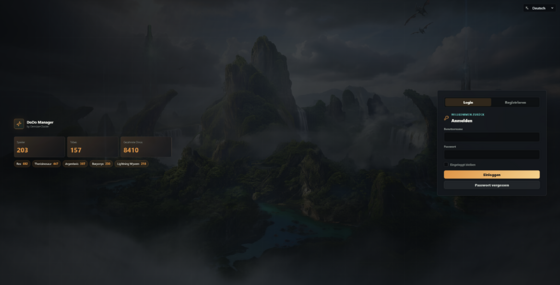
DoDo Manager is an enhanced version of the well-known ArkBot, which provides a web dashboard for monitoring creatures, generators, and more.
Unfortunately, further development was discontinued, and a version compatible with ARK: Survival Ascended was never released.
Until now!
With the DoDo Manager, a successor is now available, featuring many new and revamped features in a modern web interface.
The DoDo Manager retrieves the game data from one or more ARK servers at regular intervals and displays various information in a web interface.
Players can log in to the Manager using their EOS ID and will then see an overview of the creatures they’ve tamed, the status of generators and feeding troughs, and much more.
Thanks to
ArkBot - Foundation for DoDo Manager
Smart Breeding - Provides an extensive creature database and breeding tools.
ARK Savegame Visualiser & ark-sa-save-tools - In DoDo Manager, these two tools extract all the information from the ARK server savegames
Known Issues
- Some item labels in the Player Dashboard have not yet been translated, and some icons are still missing.
Features
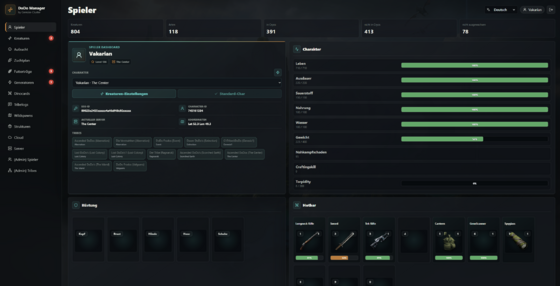
Player Dashboard
- Current Character Location (even offline)
- EOS ID and Character ID
- Tribe Memberships
- Inventories
- Character Selection if multiple characters are used
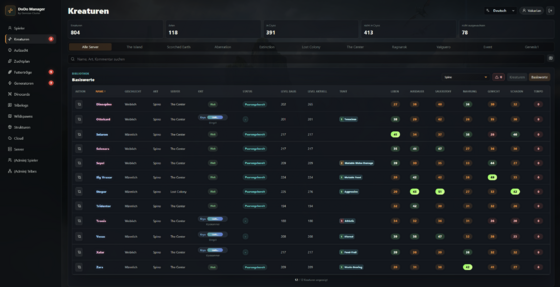
Creature List
- Lists all creatures owned by the player or by a tribe of which the player is a member.
- Food meter
- Status of creatures in cryopods
- Name of the cryofridge in which the cryopod is stored.
- Creature’s position
- Breeding stats
- Warning for creatures with less than 10% food or cryopods with less than 10% charge.
- Support for mod creatures
- and much more...
Breeding overview
- Lists all creatures that have not yet fully matured.
- Creatures in cryopods can be displayed separately.
- Food status of babies.
- Time until the next imprint
- Imprint request, e.g., wants to cuddle.
- Ton bei fälligen Imprint pro Kreatur einstellbar.
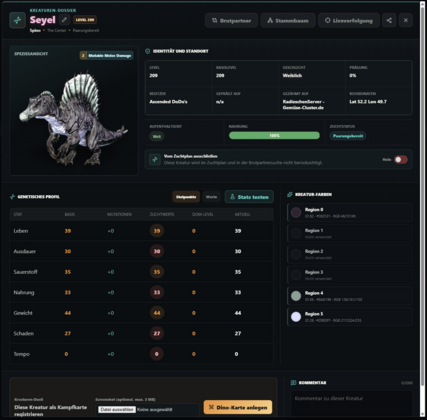
Creature Dossier
- Clicking on a creature's name opens the corresponding dossier for that creature.
- Displays an image of the creature.
- Displays the best possible breeding partners.
- Displays color regions.
- Displays current stats as points or values.
- Displays parents, direct offspring, and third-generation offspring. Offspring who are no longer owned by the player or tribe are also listed.
- Create a “profile card” for the creature to share it.
- And much more...
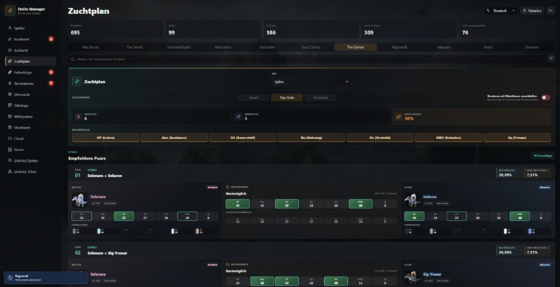
Breeding Plan
- Provides the classic breeding planner familiar from ARK Smart Breeding.
- The Breeding Guide enhances DoDo Manager with data-driven breeding recommendations. Based on the available creatures, it identifies suitable breeding pairs and determines the desired offspring stats and gender. It supports achieving top stats without mutations, including mutations, or as sequential breeding goals.
- Custom Breeding Plans allow players to select parents, target stats, gender, and mutation requirements. Suitable offspring are automatically detected, and the breeding process is guided through successive phases.
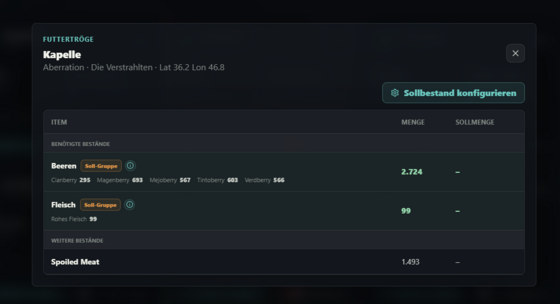
Feeding Troughs
- Lists all feeding troughs.
- The name of the feeding trough is taken from the game.
- If a feeding trough cannot be renamed in the game, a name can be assigned in the Manager.
- Lists the contents.
- You can configure what type of food should be in the feeding trough and, optionally, how much. A warning is displayed if a feeding trough no longer contains a certain food type or if the quantity falls below the specified level.
- Mod feeding troughs can be added via the config tool.
- Food items and categories can be created and edited via the config tool.
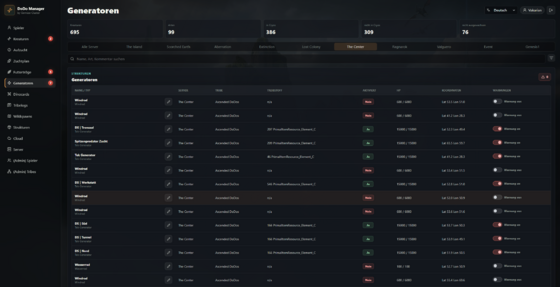
Generators
- Lists all generators.
- The generator's name is taken from the game.
- If a generator cannot be renamed in the game, a name can be assigned in the Manager.
- Mod feeding troughs can be added via the Config Tool.
- Displays a warning as soon as a generator fails.
Structures
- Lists all structures owned by the player or tribe.
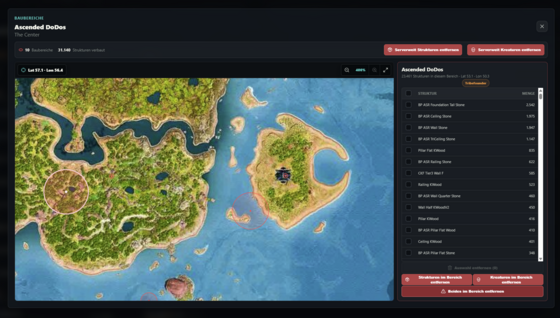
- Shows the player’s or tribe’s building areas.
- Tribe founders can automatically demolish building areas, such as a taming trap.
- This can be disabled in the config tool.
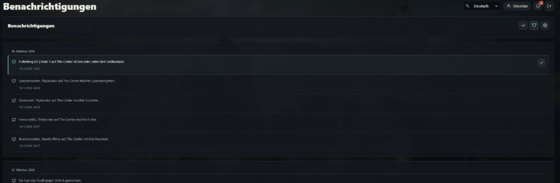
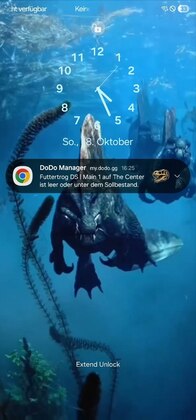
Benachrichtigungen
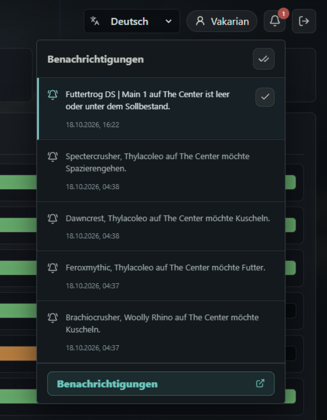
- Ein Benachrichtigungscenter wurde hinzugefügt. Dieses kann über die Glocke oben rechts im WebUI erreicht werden.
- Folgende versandarten für Benachrichtigungen stehen zur Verfügung:
- only im Manager
- via Discord Webhook
- via Browser Push
- Folgende Benachrichtungen stehen zur Verfügung:
- Kreaturen unter 10% Nahrung
- Kreaturen in Kryopods unter 10% Ladung
- Imprint notwendig
- Generator ausgefallen (Warnung muss für den Generator aktiviert werden)
- Futtertrog leer oder unter dem Sollbestand (Warnung muss für den Futtertrog aktiviert sein)
- Cardgame-Herausforderungen
- Gewonnene Cardgame Duelle & Verlorene Cardgame Duelle
List of Wild Creatures
- Displays a list of all wild creatures on a server. The list includes:
- Species
- Gender
- Level
- Coordinates
- Stat Points
- The scope of the list can be adjusted via the config tool.
For Admins
Admins or authorized users can remove creatures and structures from a tribe server-wide or on a zone-by-zone basis with a single click.
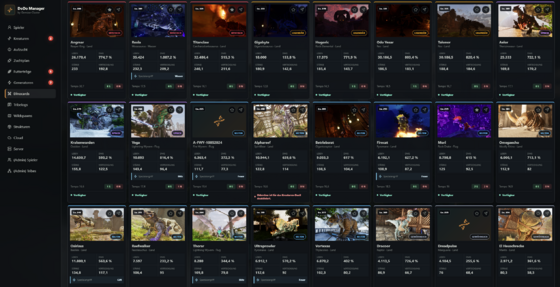
Dinocards
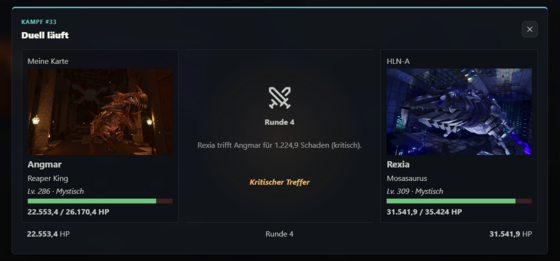
This is a small minigame. Players can create a battle card using their creatures and have it compete against other players or a bot.
Screenshots
Companion Plugin
Although our DoDo Manager works fine without the plugin, the following features are only available with it:
- Display of newly tamed or claimed creatures before the next refresh interval.
- More accurate imprint countdowns.
- Display of the current imprint request.
- Demolishing construction areas as a tribe founder.
- Demolishing tribe bases and deleting tribe creatures in a specific area or server-wide.
- Renaming creatures directly through the DoDo Manager.
- Live player dashboard.
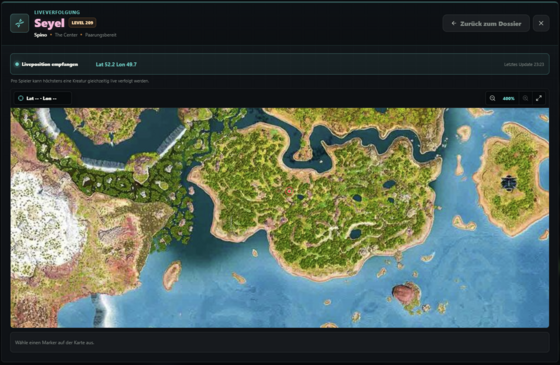
- Live location of a creature.
- Registration without entering the EOS-ID
Requirements: ASA: Server API
Player Verification
In order for players to use the DoDo Manager, they must register in the Manager.
Without the Companion Plugin
The player enters their username, a password, and their EOS ID. They will then receive a verification code in-game; the player must be online for this to work.
With the Companion Plugin
By entering /dodostart, the player is shown a code. They enter this code into the DoDo Manager, and the EOS ID is then automatically transferred. This is ideal for console players.
A comprehensive configuration tool is available. Documentation is currently being prepared. If you have any questions, please feel free to post them in the forum.
Documentation: https://gemuese-cluster.de/dododoku--en/
Request and Activate a License
- Register on our website and create a ticket.
- Once the license is activated, you can copy your license key in the License Management section.
- Now follow the steps listed under “Installation.”
- In the configuration tool, click “License” at the top, paste the license key, and copy the public key fingerprint.
- In the License Management section, click “Edit License” and paste the key you just copied into the “Allowed Installation Hash” field.
- The license is now linked to your DoDo Manager installation.
Installation
- Unzip the .zip archive into a directory of your choice.
- Run DoDoManager.exe. It will close shortly afterward.
- Now, under “Request and Activate License,” follow the steps starting with step 4.
- Now open DodoManager.Configurator.exe.
- Adjust all necessary settings, then click Save.
- Now run DoDoManager.exe again.
- You can now access the DoDo Manager in your browser.
Update
- Download the latest version from the Downloads section.
- Close DoDo Manager and, if necessary, the configuration tool as well.
- Create a backup of the dodo-manager-config.json file.
- Create a backup of cardgame-creatures.json if you have added creatures to the card game or modified existing ones. These files are currently overwritten with every update.
- Copy all files to the same directory as your existing DoDo Manager installation and answer “Yes” when asked if you want to overwrite existing files.
- The update is complete; you can now restart DoDo Manager.
- Lethal Dino Utilities
- DoDo Manager has a user interface that can also be accessed in-game using the /settings command.
- ASA Arkshop
- Shop points can be used inside the card game.
Modded Cryopods
Cryopods from mods are supported as long as they use the vanilla ARK format for storing creatures.
Tested with:
Supported Maps
The following maps are currently supported natively:
- The Island
- Scorched Earth
- Aberration
- Extinction
- Lost Colony
- Genesis 1
- The Center
- Ragnarok
- Valguero
- Astraeos
For unsupported maps, the coordinates displayed are not accurate.
Save Game Updates
By default, DoDo Manager checks for changes every 60 seconds. Save games are only read if the save file's modification date has changed since the last check.
Save games can be imported locally or using FTP.
System Requirements
- Java 21
- 2-5 GB Ram
Configuration
A comprehensive configuration tool is available. Documentation is currently being developed.
Transparency
AI was used to assist with and generate ideas for some of the text and during the design of the web app's layout.
The configuration tool that generates the JSON for the DoDo Manager relied primarily on AI.